
You know you need more content on your site—more blog posts, more local pages, more product copy. But you're stuck choosing between hiring an expensive team or publishing thin, robotic articles that never rank. That tradeoff is outdated. Content scaling done right means publishing daily, SEO-ready content that still reads like it came from a real expert, whether you're a solo insurance agent or running a growing e-commerce store. Here's exactly how to make it happen.
Table of Contents
- What You Need Before You Start Scaling Content
- Step 1: Audit Your Current Content and Identify Gaps
- Step 2: Build a Repeatable Research-to-Publish Workflow
- Step 3: Choose Your Scaling Method — Manual Team, Freelancers, or AI Automation
- Step 4: Set Up Templates, Style Guides, and Brand Voice Rules
- Step 5: Automate Research, Writing, and Publishing
- Step 6: Repurpose and Segment Content for More Reach
- Step 7: Track Rankings, Traffic, and AI Search Visibility
- Common Content Scaling Mistakes to Avoid and Final Checklist
What You Need Before You Start Scaling Content
Defining content scaling vs. just 'more content'
Let's get one thing straight. Publishing more posts isn't the same as scaling. Content scaling means increasing your output — daily articles instead of one a month, say — without a matching jump in hours spent, dollars spent, or a drop in quality. If your word count triples but so does your workload and your editor's stress level, that's not scaling. That's just more work.
Real scaling comes from systems: repeatable research steps, templates, and tools that carry the load once you'd normally hand to a writer. A solo insurance agent publishing one rushed post a week and a med spa owner publishing a polished article every day might spend the same hour on content. The difference is process, not effort. If you want a structural view of how this works at a company level, learning about how to scale content production with a defined system can clarify what "systemized" actually looks like in practice.
The blunt truth: most businesses that "try to scale content" just burn out faster. More output with the same broken process gets you more mediocre pages, not more traffic.
Tools and access you should have ready
Before you touch a content calendar, nail down four things. First, a clear niche or topic focus. Roofing contractors shouldn't write about plumbing, and a SaaS company shouldn't chase keywords miles outside its product. Second, a working content management system, whether that's WordPress, Shopify, Wix, or Webflow, with someone who actually has login credentials and publishing rights. If you're on WordPress, get comfortable with setting up direct publishing access now rather than scrambling later.
Third, analytics access. Google Search Console is non-negotiable. It's free, and it's how you'll see which keywords bring in clicks. Pair it with Google Analytics for traffic and behavior data. Fourth, capture a baseline: current monthly organic sessions, top ten ranking keywords, and domain authority score, before you publish a single new article.
Finally, pick a cadence you can actually sustain. Daily is the goal for many local businesses, but three times a week is fine if that's realistic. Decide upfront who owns content decisions: topics, approvals, brand voice. Without an owner, scaling stalls fast.
Step 1: Audit Your Current Content and Identify Gaps
Running a quick content and keyword audit
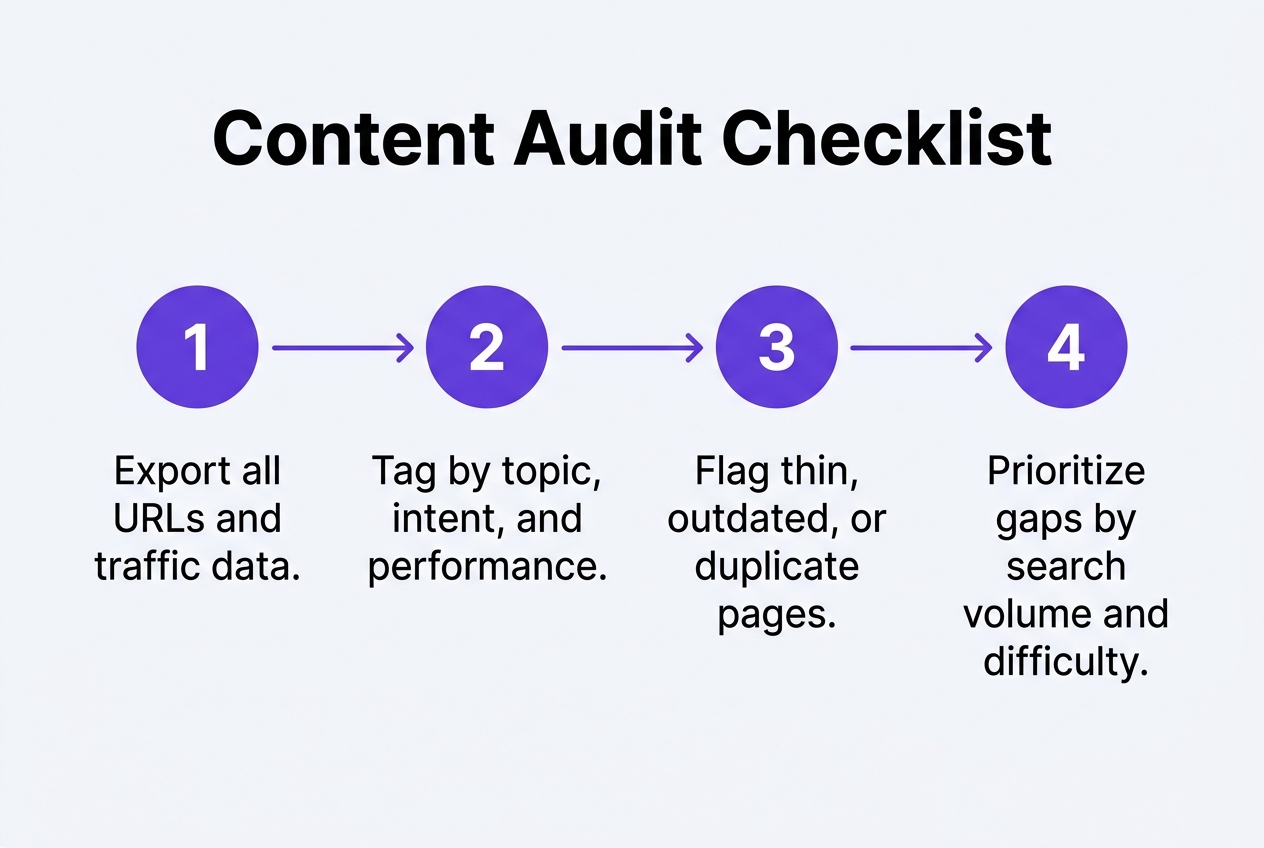
Before you publish another word, look at what's already on your site. Pull a full list of your pages, then check each one's traffic and rankings in Google Search Console. You'll usually find a handful of pages doing all the work and dozens more sitting at zero clicks. That's normal. It just means you now know where to focus instead of guessing.
Next, figure out what your competitors rank for that you don't. Search a few of your core service terms, plus local variations like "med spa near [city]" or "roofing contractor [county]," and note who shows up. Free tools like Google's own autocomplete and the "People also ask" boxes give you real gaps fast. Search Console's performance tab shows queries where you rank on page two, not page one — those are your easiest wins. If your login process for these tools feels clunky, streamlining your signin routine across accounts saves real time once you're auditing weekly.
Finally, hunt for thin or duplicate pages. Three 400-word blog posts covering the same topic should probably become one strong 3,000-word guide. Consolidation beats addition almost every time. It's a quick fix, and it fixes rankings faster than fresh content does.

Step 2: Build a Repeatable Research-to-Publish Workflow
Where most businesses hit a scaling bottleneck
Every article you publish moves through the same seven stages: keyword research, brief creation, writing, editing, image sourcing, internal linking, and publishing. Map these out on paper before you touch a tool. A roofing company owner might spend two hours finding keywords, an hour writing a brief, three hours drafting, an hour editing, and another hour hunting for images and links. That's eight hours for one post. Multiply that by five posts a week and you've got a full-time job nobody budgeted for.
Once you see the stages laid out, decide which ones can be templated, which can be automated, and which still need a human. Keyword research and brief creation follow predictable patterns, so they template well. Writing and image sourcing are where automation earns its keep, especially compared to hiring a full agency. Editing for brand voice usually still benefits from a light human pass, at least early on. Many local businesses reading up on the blog for workflow breakdowns notice the same pattern repeating across industries.
Here's the blunt truth: manual workflows don't break at one article a week. They break at three or four, right when momentum matters most. That breaking point is exactly where most scaling attempts quietly die.
Step 3: Choose Your Scaling Method — Manual Team, Freelancers, or AI Automation
Once you know what content you need, you've got to decide who (or what) actually produces it. There are three real options: hire an in-house writer, outsource to freelancers or an agency, or use an AI automation platform. Each has a very different cost structure and ceiling for how fast you can scale.
An in-house writer gives you control, but one person can rarely produce more than a few solid articles a week without burning out. Freelancers and agencies cost more per piece and often take days to turn work around. If you're weighing your options, practical tips for scaling content output without sacrificing quality are worth studying before you commit budget to any one path. Here's how the three stack up on the metrics that actually matter for daily publishing:
| Method | Cost per article | Turnaround | Consistency | Scales to daily? |
|---|---|---|---|---|
| In-house writer | $150–$400 (salary/output) | 1–3 days | Depends on workload | No — hits a ceiling fast |
| Freelancer | $100–$300 | 2–5 days | Variable quality | Only with multiple hires |
| Agency | $200–$500+ | 1–2 weeks | Usually strong | Expensive at volume |
| AI automation platform | ~$99/month, unlimited-feel output | 24 hours | Consistent by design | Yes — built for it |
The math gets stark once you're publishing daily. A month of freelance articles at $300 each runs $9,000; an automation platform handling research, writing, images, and publishing costs a fraction of that. Speed and consistency, not raw writing talent, are what daily publishing actually demands.
Step 4: Set Up Templates, Style Guides, and Brand Voice Rules
Applying one style guide across every piece of content
Before you publish article number two, write down the rules. A real style guide covers tone (friendly but expert, no fluff), formatting (short paragraphs, H2s every 300 words, one table per post), banned phrases (skip "in today's fast-paced world" forever), and internal linking rules — like linking every service page from at least three blog posts. Without this, your tenth article won't sound like your first. That's a problem readers and Google both notice. Getting the fundamentals right matters more than people think; the basics of scaling content production are worth revisiting before you write a single template.
Next, build templates for your repeat content types. A comparison post needs a criteria table, a verdict section, and FAQs. A how-to guide needs numbered steps, a supply list, and a troubleshooting section. Local landing pages need a service description, neighborhood mentions, and a map embed. Product roundups need pricing, pros and cons, and a buying-guide intro. Templates like this cut writing time in half, whether a human or an AI model is doing the drafting.
Finally, feed custom instructions into whatever tool you use, human or AI. Give it your banned words, your reading level, your preferred sentence length, and sample paragraphs that sound like you. Tools like Jasper and Writesonic let you save these as reusable brand profiles; the same idea applies whether you're briefing a freelancer or a machine. Do this once, properly, and consistency stops being a daily fight.
Step 5: Automate Research, Writing, and Publishing
This is where the actual work happens, and where most solo operators get stuck. Doing keyword research by hand, writing full articles, then logging in to publish them one by one just doesn't scale past a few posts a week. Automation is what lets you go from occasional blogging to a real daily habit without burning your evenings.
A solid automated system handles the whole pipeline instead of just one piece of it. Here's what that actually looks like in practice:
- Automated keyword research pulls high-volume, low-competition topics specific to your niche and location, so you're not guessing what a roofing customer in Tampa actually types into Google.
- Daily long-form articles, often 3,000+ words, get drafted with relevant images, a written meta description, and internal and external links already placed.
- Finished posts publish straight to WordPress, Shopify, Wix, Webflow, or any platform via webhooks, with zero manual uploading or formatting cleanup.
- Every article runs through a plagiarism check and gets an SEO/GEO score before it ever goes live, catching thin or duplicate content early.
- Reddit marketing and backlink outreach extend the content's reach beyond your own blog, building the kind of external signals search engines and AI models both notice.
If you're piecing this together yourself with freelance writers, learning about content scaling to boost your marketing strategy is a good starting point before you commit to a workflow. Either way, the goal is the same: consistent, quality output without you touching every step.

Step 6: Repurpose and Segment Content for More Reach
One article shouldn't just sit on a blog page and hope for traffic. Squeeze more value out of it. Every long-form piece you publish can feed a handful of smaller assets that stretch its reach across channels and audiences, without you writing anything new from scratch.
Adapting one article for multiple audience segments
Think of the core article as raw material, not a finished product. Repurposing means slicing it into formats that fit wherever your audience already spends time. A guide from Optimizely on ways to create better content at scale makes a similar point: efficiency comes from reusing structure, not reinventing it every time. Here's what that looks like in practice:
- Pull three or four key points into a LinkedIn or Facebook post that links back to the full article for context.
- Extract a short paragraph for an email newsletter snippet, with a subject line built around the article's main question.
- Turn common reader questions into a standalone FAQ section, which also helps with featured snippets and AI Overview citations.
- Rewrite the intro and examples for a different city or neighborhood if you serve multiple locations.
- Swap product names and specs to create a near-identical version for a different product line or buyer persona.
Batch similar topics together — all your city pages one week, all your comparison posts the next. It keeps your research focused and your output consistent, instead of jumping between formats and losing momentum.
Step 7: Track Rankings, Traffic, and AI Search Visibility
Publishing daily means nothing if you never check whether it's working. You need a simple system for watching the numbers, not just a gut feeling that "content seems to be going okay."
Metrics that prove content scaling is working
Start with Google Search Console. It's free, and it shows impressions, clicks, and ranking movement for every article you publish. New pages usually take a few weeks to show up at all. That's normal. Don't panic on day five. For brand-new sites with zero history, watch domain authority tools alongside GSC — these sites have no reputation to fall back on, so every gain is a real signal, not noise from an existing backlink profile. Because AI tools now answer questions humans used to Google, learning how to track brand mentions in AI answer engines matters just as much as classic rankings. Run periodic prompts in ChatGPT, Perplexity, and Gemini to see if your business gets named. Then compare before-and-after windows to prove actual ROI.
| Metric | Where to check it | What it proves |
|---|---|---|
| Impressions & clicks | Google Search Console | Content is being seen and clicked |
| Keyword rank position | GSC / rank tracker | Pages are climbing toward page one |
| Domain authority trend | Third-party authority tools | New sites are gaining trust over time |
| AI citation frequency | Manual prompts in ChatGPT, Perplexity, Gemini | Brand is being recommended, not ignored |
| Organic traffic vs. spend | Analytics before/after scaling | Time or budget invested is paying off |
Some site owners also run their pages through a free quality and tracking score to spot weak articles before they drag down the whole domain. Whatever tools you pick, check monthly. Weekly is too jumpy, quarterly is too slow.
Common Content Scaling Mistakes to Avoid and Final Checklist
The biggest mistake? Publishing on autopilot with no calendar or competitor analysis behind it. Fifty articles about nothing in particular won't outrank a rival's twelve focused ones. Before you push another post live, know what your top three local or niche competitors rank for and where the gaps are. Volume without direction is just noise. A dedicated provider or in-house team should be filling specific keyword gaps every week, not guessing.
The second trap is sacrificing fundamentals for output. Internal links, real meta descriptions, and a unique angle on the topic still matter more than word count. Skip them and you'll publish daily for a year and barely move the needle. That's the blunt truth nobody selling volume wants to say out loud. If you're wondering whether this is even sustainable at scale, it helps to review how larger content teams handle it, since growing content output without losing quality is a challenge every serious publisher eventually faces. Run back through your seven steps: audit, workflow, method, style guide, automation, repurposing, tracking. Each one should be an actual system, not a memory.
Before you call your setup done, confirm six things: your niche is defined, your workflow is mapped, your tool is chosen, your style guide is built, publishing is automated, and tracking is active. Missing even one turns scaling into guesswork.
Before you commit to a direction, it helps to be honest about which problem you're actually solving: a site that can't be crawled properly needs a developer or technical specialist to diagnose and fix it, and no amount of publishing will paper over that. Once those foundations are sound, the question shifts to whether you have a steady stream of content worth crawling — and that's where a different kind of investment, like ongoing keyword research, daily long-form articles published straight to your existing platform, and article-level SEO scoring, tends to compound month over month. Worth asking yourself where you sit on that sequence, and what you'd want in place first.